
Artificial intelligence adoption is moving beyond simple experimentation. A few years ago, organizations asked, “What can AI do?” Today, the question has changed to, “How can we integrate AI into the way we work?” Tools like ChatGPT, Claude, and Gemini have made AI accessible to millions of professionals, but simply having access to AI tools does not automatically create business value.
The organizations that achieve meaningful results are the ones that redesign their workflows around AI. An AI workflow combines human expertise, artificial intelligence, data, and automation to complete tasks more efficiently while maintaining appropriate oversight.
The goal is not to replace people; rather, it is to enable people to work more effectively by allowing AI to support repetitive tasks, analyze information, generate insights, and accelerate decision-making.
This shift from using AI occasionally to embedding AI into everyday workflows is becoming a critical capability for modern organizations.
What Is an AI Workflow?
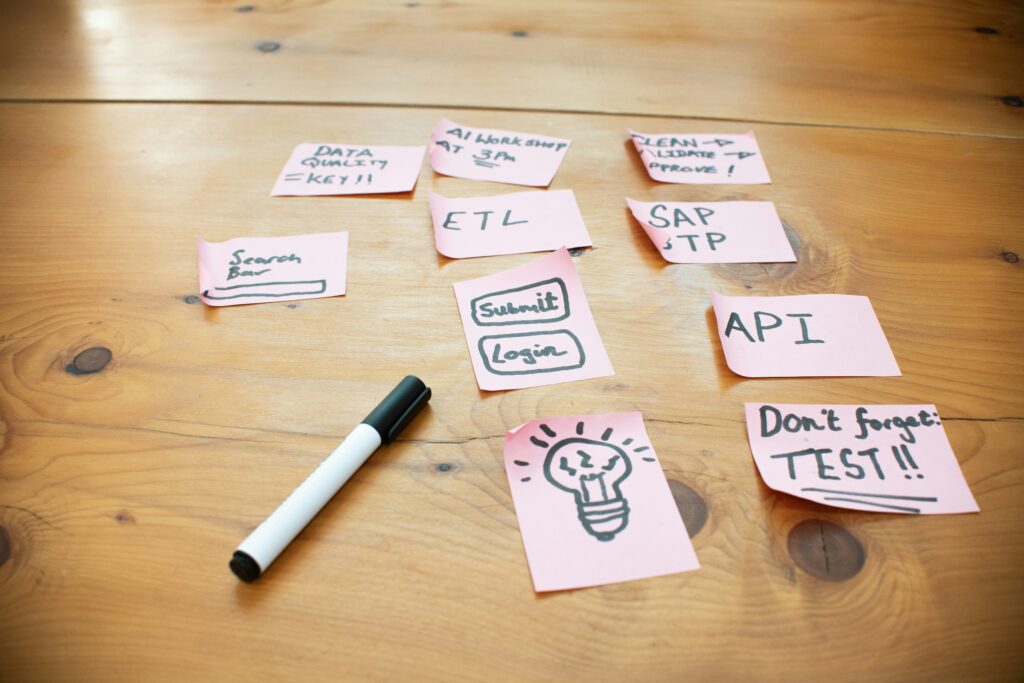
An AI workflow is a structured process where artificial intelligence supports one or more steps of a business activity. While traditional workflows often rely entirely on manual effort moving from research and analysis to creation, review, and delivery, an AI-enabled workflow introduces intelligent capabilities at strategic points, such as AI gathering information and drafting content while humans handle review, approval, and delivery.
The important distinction is that AI workflows are not simply about automating mechanical tasks but they are about redesigning how work gets completed. A strong AI workflow combines clear business objectives, appropriate AI tools, reliable data, human expertise, and strict governance and oversight.
AI Workflows vs Traditional Automation
AI workflows are often confused with traditional automation, but they serve different purposes.
Traditional automation typically follows rigid, predefined rules like sending an automated email after a form submission, moving data between systems, or generating scheduled reports. In contrast, AI workflows are designed to handle more complex and unstructured tasks, such as summarizing documents, and extracting insights from massive amounts of information.
Here is a table to summarize their unique features:
| Feature | Traditional Automation | AI Workflows |
| Core Focus | Efficiency and speed through rigid execution. | Efficiency, reasoning, adaptability, and insight. |
| Operational Logic | Predefined, rigid rules (“If this happens, perform this action”). | Probabilistic processing, pattern recognition, and contextual understanding. |
| Task Complexity | Handles structured, routine, and repetitive tasks (e.g., form submissions, moving data, scheduled reporting). | Handles complex and unstructured tasks (e.g., document summarization, analyzing customer sentiment, generating strategic recommendations). |
| Data Handling | Requires strict, pre-formatted data structures and exact field matches. | Processes messy, unstructured information across varied documents, emails, and transcripts. |
| Flexibility | Breaks or fails when encountering unexpected inputs or edge cases outside its programmed rules. | Adapts to variations in inputs, interprets nuances, and scales output dynamically. |
Why Organizations Need AI Workflows
Tools like ChatGPT, Claude, and Gemini have made AI accessible to millions of professionals. However, simply having access to AI tools does not automatically create business value. In fact, while worker access to AI tools has surged to nearly 60%, Deloitte reports that 84% of organizations have still not redesigned their workflows around these capabilities. The organizations that achieve meaningful results are the ones that bridge this gap by deliberately restructuring how work gets done.
Organizations are adopting AI workflows because they address one of the biggest challenges in digital transformation: turning experimentation into measurable business impact.
- Improving Productivity: Many professionals spend significant time on repetitive activities like writing reports, preparing presentations, and organizing data. AI workflows reduce time spent on these routine tasks, allowing employees to focus on higher-value work. Research from the Federal Reserve shows that regular AI users save an average of 5.4% of their work hours weekly (reclaiming over two hours every week). AI workflows systematically trim down these routine tasks, allowing employees to shift their time toward higher-value strategic work.
- Improving Decision-Making: AI workflows help teams across finance, legal, and operations process large amounts of information faster, providing quick access to insights that help professionals make better choices without replacing human judgment.
- Making Knowledge More Accessible: Organizations often have valuable information spread across documents, databases, internal systems, reports, and communication channels. AI workflows help employees find, summarize, and utilize organizational knowledge much more effectively.
The Five Components of an Effective AI Workflow
Building successful AI workflows requires more than just selecting a popular AI tool. Organizations need to carefully orchestrate five essential components.
1. Start With a Clear Business Objective
The strongest AI workflows begin with a specific business problem. Instead of asking where to use AI, organizations should ask which processes create friction, consume time, or limit productivity, ensuring AI supports meaningful business outcomes.
2. Select the Right AI Capability
Different AI systems serve distinct purposes, such as large language models for writing and analysis, AI agents for multi-step task execution, predictive models for forecasting, and automation platforms for connecting systems. Choosing the right technology depends entirely on the specific workflow requirements.
3. Build Around Quality Data
AI workflows depend heavily on the information they process. Organizations must ensure data is accurate, accessible, secure, and properly permissioned, because poor data quality can limit even the most advanced AI systems.
4. Keep Humans in the Loop
Effective AI workflows balance automation with human expertise by defining clear boundaries where AI can operate independently on tasks like drafting and summarizing, versus where human review is required for strategic decisions, compliance approvals, and high-impact recommendations.
5. Continuously Improve the Workflow
AI workflows should never be viewed as one-time implementations. Organizations should continuously evaluate accuracy, efficiency improvements, employee adoption, and business impact so the workflows can evolve alongside emerging AI capabilities.
Practical AI Workflow Examples Across Business Functions
AI workflows can be successfully applied across almost every department to streamline daily operations.
- Marketing: Streamlines the content lifecycle from AI research assistance and drafting to human editing, SEO optimization, and publishing, while supporting planning, keyword research, and repurposing.
- Sales: Accelerates lead research by summarizing company information and preparing outreach, alongside automating meeting follow-ups by turning recordings into summaries, action items, and CRM updates.
- Finance: Enhances operations through report summarization, financial analysis support, document processing, forecasting assistance, and invoice review.
- Legal and Compliance: Assists with contract review, policy analysis, regulatory research, and document summarization, backed by strong governance for privacy and accuracy.
- Operations and Supply Chain: Optimizes process documentation, inventory analysis, supply chain monitoring, and operational reporting by transforming raw data into identified risks and actionable decisions. For more indepth read our workflows for supply chain here
How to Identify AI Workflow Opportunities
Not every process needs AI. The best opportunities usually involve tasks that are repetitive, information-heavy, time-consuming, and pattern-based. When evaluating a process, a simple question to ask is whether the task requires human judgment or merely human time, as many workflows benefit from AI assistance when the primary challenge is time rather than expertise.
Common Mistakes When Building AI Workflows
- Automating Broken Processes: AI does not fix inefficient workflows; organizations must improve underlying processes before attempting to automate them.
- Choosing Tools Before Understanding Problems: The goal is to solve meaningful business challenges rather than simply accumulating more AI software.
- Ignoring Governance: Organizations need clear frameworks for data protection, security, compliance, and responsible AI usage.
- Removing Humans From Important Decisions: The most successful AI workflows maintain a balance that pairs AI efficiency with human judgment.
How AI Agents Are Changing Workflows
AI workflows represent an important step toward more advanced enterprise adoption. While traditional workflows involve a human starting a task with AI assistance, emerging AI agent workflows allow a human to define an objective while the AI plans steps, executes actions, and presents results for review. AI agents are enabling organizations to move from AI-assisted work toward truly AI-supported operations, provided they maintain a strong foundation of quality data and clear objectives.
Building AI Workflow Capability Across Your Organization
Building effective AI workflows is about more than improving efficiency. It’s about redesigning processes, empowering employees with the right skills, and creating systems where people and AI work together to deliver better outcomes. Organizations that take this approach are better positioned to scale AI responsibly, adapt to new technologies, and drive long-term business value.
At WeCloudData, we believe successful AI adoption starts with building capability and not just deploying technology. Through enterprise AI education, workforce enablement, and hands-on capability-building programs, we help organizations develop the knowledge, frameworks, and practical skills needed to embed AI into everyday workflows with confidence.
Whether you’re exploring your first AI workflow or scaling AI across multiple teams, the goal remains the same: build the capabilities that enable your organization to turn AI from a promising tool into a lasting competitive advantage.
Frequently Asked Questions
1. What is an AI workflow?
An AI workflow is a structured process where artificial intelligence supports specific tasks or decisions within a larger business process.
2. How do you build an AI workflow?
Organizations build AI workflows by identifying business problems, selecting appropriate AI capabilities, integrating reliable data, defining human oversight, and continuously improving the process.
3. What is the difference between AI workflows and automation?
Traditional automation follows predefined rules, while AI workflows use artificial intelligence to analyze information, generate insights, and support more complex tasks.
4. How can organizations build AI workflow capabilities?
Organizations can build AI workflow capabilities by developing AI literacy, improving processes, investing in workforce skills, and establishing responsible AI practices.
5. How can WeCloudData help organizations build AI capabilities?
WeCloudData helps organizations develop AI capabilities through enterprise AI education, technical upskilling, and customized programs designed to help teams adopt AI effectively and apply it to real business workflows.
